Minesweeper Web Game

Description:
Introduction
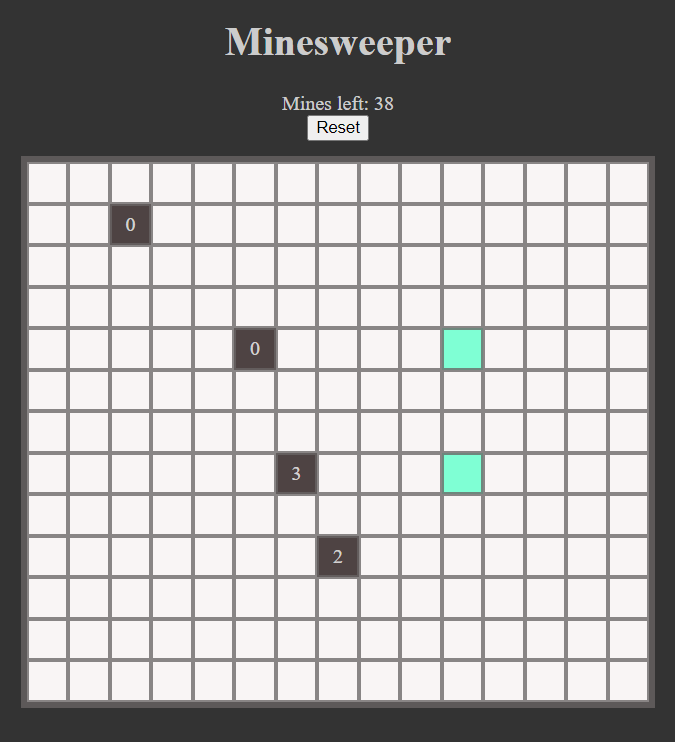
This project is a web-based implementation of the classic Minesweeper game, built using JavaScript, HTML, and CSS. The goal of the game is to clear a grid without detonating any hidden mines. The player must use logical deduction to identify and mark mine locations while revealing safe tiles.
Features
- Dynamic grid size: Users can customize the height, width, and number of mines before starting the game.
- Interactive UI: Tiles change color and display numbers based on nearby mines.
- Left-click reveal & Right-click flag: Standard Minesweeper controls for interaction.
- Game restart: A reset button to restart the game at any time.
- Victory & Defeat conditions: The game ends when all non-mine tiles are revealed or when a mine is clicked.
Project Structure
The project consists of four main files:
This file defines the basic structure of the game interface. It contains:
- A title header.
- A form for setting game difficulty (grid size & mine count).
- A div container for the game board.
- Buttons for resetting the game and accessing settings.
- A reference to the JavaScript files to control game logic.
This file is responsible for the visual appearance of the game, including:
- Background color and layout styling.
- Tile design (size, borders, colors).
- Responsive adjustments to ensure proper game board display.
- Styling for buttons and interactive elements.
This file manages game initialization and user interactions:
- Reads user input for grid size and mine count.
- Calls functions from minesweeper.js to create the game board and mines.
- Handles UI updates such as switching between game and settings mode.
- Listens for user interactions like clicking tiles and restarting the game.
This file contains the core game logic:
- createGameBoard(height, width): Generates the grid dynamically.
- createMines(numberOfMines): Randomly places mines on the board.
- createLogicGame(height, width): Manages game interactions like revealing tiles and flagging mines.
- Implements win/lose conditions by checking flagged mines and revealed tiles.
How It Works
- The user sets the game difficulty by choosing the grid size and number of mines.
- The game board is dynamically generated based on user input.
- The player reveals tiles and flags mines using left and right clicks.
- If a mine is clicked, the game ends in defeat.
- If all non-mine tiles are revealed, the player wins.
- The game can be reset at any time using the reset button.
Learning Outcomes
Developing this project involves learning and improving skills in:
- JavaScript DOM Manipulation: Dynamically creating and updating HTML elements.
- Event Handling: Managing user interactions like clicks and right-clicks.
- CSS Styling: Enhancing game UI with responsive and interactive design.
- Game Logic Implementation: Handling game states, win/lose conditions, and tile interactions.
Future Improvements
Potential enhancements for this project include:
- Adding a timer to track game completion time.
- Implementing different difficulty levels with preset values.
- Enhancing UI with animations and sound effects.
- Storing user statistics like best time and games played.
Conclusion
This project successfully recreates Minesweeper in a web format using JavaScript. It provides a customizable and interactive experience while serving as a great learning opportunity for front-end web development.